Five Solutions and Maintenance Tips to Solve a DVD Player Not Reading Discs

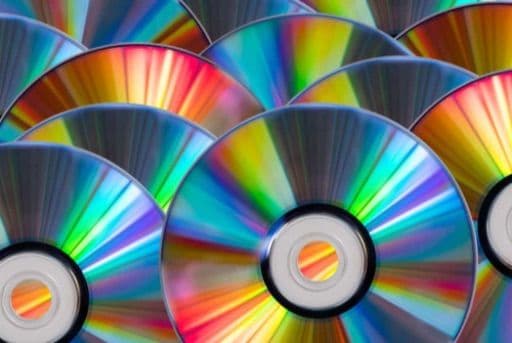
Capture has integrated the reasons why your DVD player might not be reading discs, providing you with 5 solutions and repair methods to help solve the issue of a DVD player not reading discs.
What is a DVD Player?

A DVD player is short for Digital Versatile Disc Player. It is primarily used for reading and playing video and audio content from DVDs, displaying it on a connected TV or monitor.
The common disc format used by DVD players is DVD-Video, which can store movies, TV shows, music, and other audiovisual content. DVD-Video offers high-quality video and audio effects and provides options for multiple languages and subtitles, as well as special features such as chapter skip and multi-angle viewing.
Reasons Why a DVD Player May Not Read Discs

Here are some common reasons why a DVD player may fail to read discs:
Disc Problems
The disc itself may have issues, such as scratches, dirt, or dust accumulation. These problems can hinder the normal reading process of the DVD player.
Connection Problems
Incorrect or loose connections may cause the DVD player to fail to read discs properly. This could be due to loose cables, incorrect connections, or damaged connectors.
Software Issues
Certain software issues may affect the normal operation of the DVD player. This could include outdated drivers, software conflicts, or operating system issues.
DVD Region Code Mismatch
DVD discs often come with specific region codes that restrict their playback in different areas. If the region code of the disc does not match the settings of the DVD player, the disc will load but the player will refuse to play it.
Solutions
If you encounter problems with your DVD player not reading discs, you can try the following solutions:
Ensure the Disc is Clean
Use a specialised disc cleaning kit or a soft cloth to gently wipe the surface of the disc. Make sure there are no dust, fingerprints, or stains.
Check the Disc and DVD Player
Check the disc for any scratches. Also, inspect the DVD player's laser lens and disc tray for any dust or dirt. If present, gently clean them using compressed air or a soft brush.
Check Connections and Power Supply
Ensure that the connections of the DVD player are correctly made and secured. Check that the power cord is properly inserted and connected to a power outlet.
Update or Reinstall DVD Drive Drivers
For a computer's internal or external DVD drive, download the latest drivers from the manufacturer's website; for a standalone DVD player, check the manufacturer's site for a firmware update. Installing updated drivers may help resolve software-related issues.
Reset the DVD Player
If the above steps have been completed and the problem persists, use the factory reset option in the DVD player’s settings menu (see the manual). Note that this might result in the loss of personal settings and saved data, so ensure you have backed up important data before proceeding. Refer to the manufacturer's manual or support documents for instructions on how to reset.
DVD Player Repair Methods
If the solutions above do not resolve your issue, here are some methods for repairing a DVD player:
Seek Professional Repair Services

If you are not familiar with the internal workings of DVD players or do not have the necessary skills, it is best to seek professional repair services. Qualified technicians can diagnose the issue and carry out repairs to ensure the normal operation of your DVD player.
DIY Repairs
If you have the necessary skills and knowledge, you might also attempt to repair the DVD player yourself. This could involve opening the casing, inspecting components, and replacing damaged parts. However, be aware that doing repairs yourself could void warranties or risk further damage to the device.
The Frame Digital Photo Frame

Whether celebrating important milestones, birthdays, wedding anniversaries, or showing appreciation for the support of mothers and fathers, Capture's The Frame digital photo frame is a highly meaningful and personalised gift. It encapsulates countless precious memories, showcasing the most cherished moments of a lifetime.
The Frame is not only beautifully designed and features a high-quality display, but it also has easy-to-use functions that allow you to effortlessly manage and display your photos. You can digitize your photo albums and save them in The Frame, enjoying these precious memories anytime, anywhere.
Whether placed in a living room, bedroom, or office, The Frame adds a touch of warmth and personality to your space. It is not just a beautiful decoration but also a valuable gift that can brighten your life.
Purchase The Frame now, and turn precious photo albums into a thoughtful gift that will surprise your favourites!
References:
Capture Reviews
Related Articles
You may also like these articles

Capture · Our team
Any Questions?
Feel free to contact
our Memory Specialists
Not sure what format you have or how best to handle it? WhatsApp us and one of the team will take a look.
WhatsApp us