Free Online Image Quality Enhancement Tool Fotor: User Guide, Pricing, and Reviews

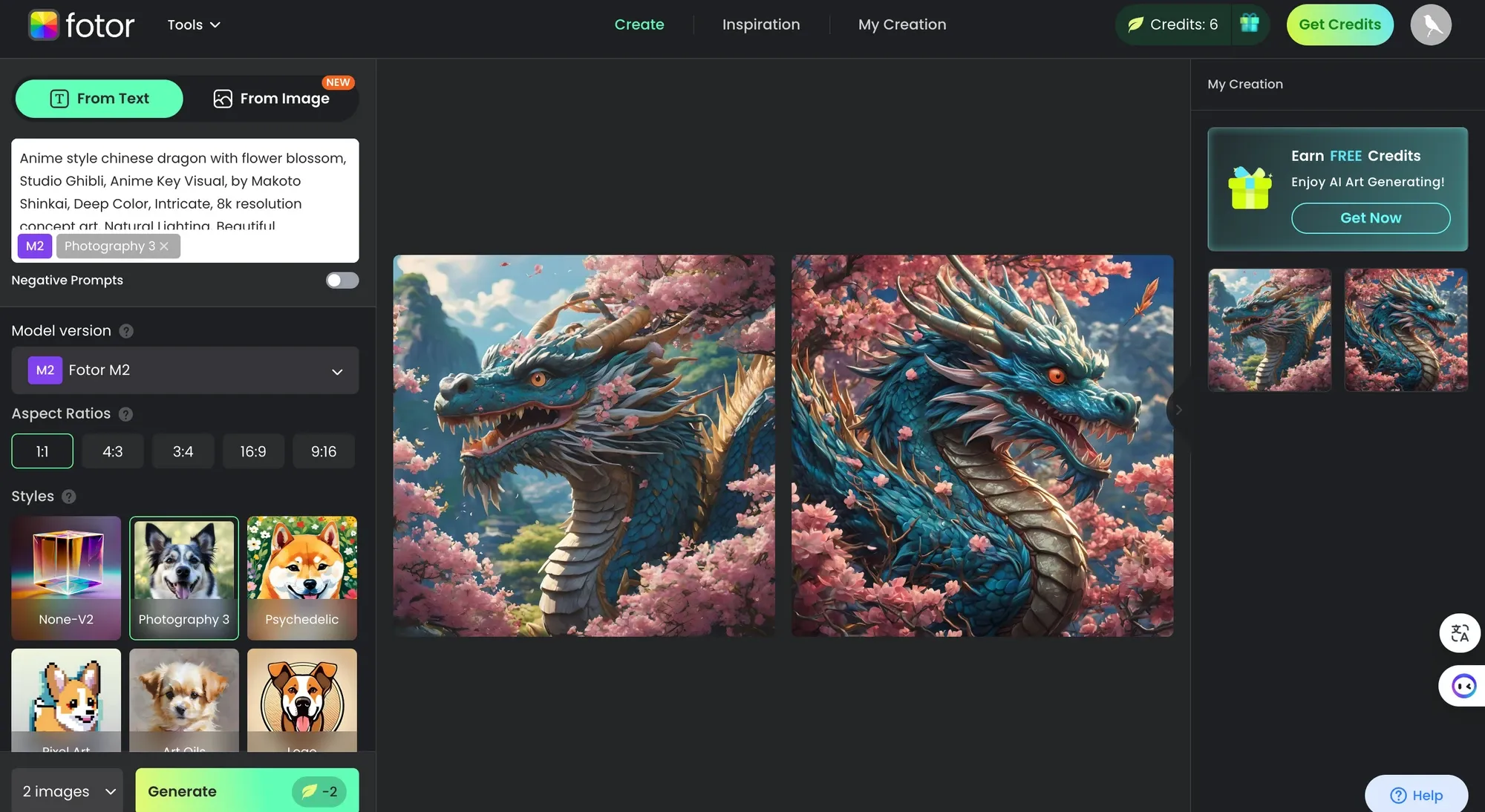
In daily life, we often encounter problems with poor image quality: blurry photos taken on mobile phones, pixelation when enlarging low-resolution old photos, or images downloaded from the internet filled with noise. These flaws greatly diminish precious memories or creative materials. “Fotor” (https://www.fotor.com/), as a comprehensive online photo editing platform, is well known for its powerful AI image enhancement tools, capable of transforming blurry, low-resolution, or old images into clear, high-definition versions with just one click. No software download or professional skills are required—everything runs directly in the browser, supporting deblurring, noise reduction, resolution upscaling, old photo restoration, and even face enhancement. As a free tool, it offers basic features for users to experience the power of AI with no barrier to entry, while also providing rich editing options such as background removal, filters, and collages. Whether restoring family old photos, optimising e-commerce product images, or creating social media content, Fotor is a practical choice. This article introduces Fotor’s core features, usage guide, pricing model, and real user reviews to help you easily improve image quality and bring back delicate visual beauty.
What Is “Fotor”?
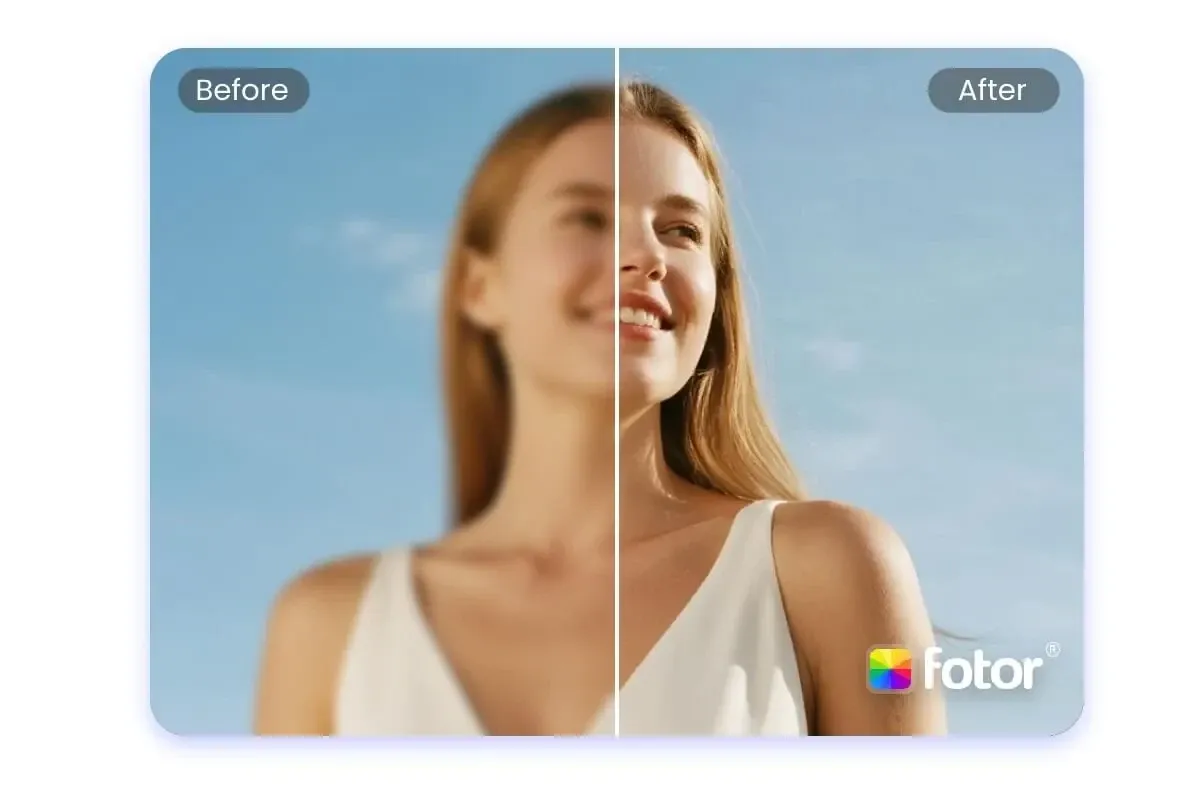
“Fotor” is a comprehensive online photo editing platform developed by Everimaging Ltd. Since its launch in 2009, it has become a favorite tool for hundreds of millions of users worldwide. It is not just a simple image editor—it integrates advanced AI technology and excels particularly in image quality enhancement. The platform offers a free online version that requires no installation and runs directly in the browser, with extensions available as desktop and mobile apps.
Core image enhancement features include:
AI One-Tap Enhance: Automatically deblurs, reduces noise, sharpens details, and optimises colours, turning low-quality images into high-definition ones.
4K Upscaler: Enlarges images up to 4× resolution without distortion, suitable for printing or large-screen display.
Old Photo Restoration: Restores faded colours and scratches, and intelligently colouries black-and-white photos.
Face and Portrait Enhancement: Focuses on smoother skin, sharper eyes, and natural beautification.
In addition to image enhancement, Fotor also provides background removal, object removal, filters, text addition, and collages, making it suitable for beginners through to professional designers. The platform emphasizes natural results and fast processing, with AI models continuously updated. By 2026, it supports more scenarios such as text clarity enhancement and low-light optimization. Compared with other tools, Fotor stands out for its user-friendly interface and comprehensive features, making it a popular choice for free image quality enhancement.
“Fotor” User Guide
Fotor is simple and intuitive to use, and image enhancement can be tried without registration. Below are the detailed steps:
Visit the website: Open a browser and go to https://www.fotor.com//. Click “Edit a Photo” or select “Photo Enhancer” under “AI Tools.”
Upload an image: Click “Open Image” or drag and drop a file. Common formats such as JPG and PNG are supported.
Choose an AI tool: Select “One-Tap Enhance” or specific modes such as “4K Upscaler” or “Unblur.” The AI will automatically analyze image issues.
Preview and adjust: After processing (usually within seconds), a before-and-after comparison is shown. If satisfied, you can further fine-tune settings such as brightness and contrast or combine with other tools.
Download the result: Click “Download.” The free version outputs basic HD quality.
Advanced tips:
Use face-specific enhancement for blurry portraits for more natural results.
Combine old photos with “Restore” mode to recover colours.
Batch processing requires the Pro version.
The entire process is efficient and suitable for both mobile and desktop use.
How Much Does “Fotor” Cost? Is There a Free Version?
Yes, “Fotor” offers a robust free version that allows you to use core AI image enhancement tools such as one-tap enhance and basic upscaling without payment. You can try it unlimited times, but the free version has daily usage limits, may add watermarks to downloads, or outputs lower resolution (non-4K).
The advanced Fotor Pro version unlocks unlimited use, watermark-free downloads, 4K HD output, batch processing, and more AI tools:
Monthly subscription: About USD $8.99 (depending on region and promotions).
Annual subscription: About USD $39.99, better value and often discounted.
New users often enjoy free trial periods (7–30 days) or extra credits.
Subscriptions are handled through the website, support credit cards, and can be canceled at any time. The free version is already sufficient for daily image enhancement and old photo restoration; professionals or heavy users are recommended to upgrade to Pro. Overall, Fotor’s free features are powerful, making it a highly cost-effective online tool.
Real User Reviews of “Fotor” (Excerpts)
Fotor has an average rating of about 4.5 stars on Trustpilot, the App Store, and online forums. Users generally praise the convenience and effectiveness of its AI image enhancement. Below are excerpts from real reviews (from Trustpilot, Reddit, and review sites; anonymised, 2025–2026):
“One-click enhancement is super convenient! Blurry old photos become clear, and the colors look natural. The free version is more than enough, and the interface is simple and smooth.” (Trustpilot user, 5 stars)
“The AI 4K upscaling effect is amazing, with no loss of detail. Much easier than Photoshop, perfect for beginners.” (Reddit user, 4 stars)
“The best among free tools. Perfect for fixing low-res product images. The Pro version is smoother with no ads.” (App Store user, 5 stars)
Negative feedback:
“The free version has watermarks and limited quota; heavy use requires payment. Sometimes processing is slow.” (3 stars)
“The AI is powerful, but results are average for extremely blurry photos. Overall recommended for daily editing.” (4 stars)
Most users consider Fotor the best free online image quality enhancement tool, with natural results and rich features, especially suitable for portraits and landscapes.
In summary, “Fotor” has become a top platform for image quality enhancement thanks to its free entry point, powerful AI, and comprehensive editing features. Whether revisiting old memories or creating new works, it delivers professional-level results. Visit the website and try it now—let your images shine in high definition!
Preserve Your Precious Memories with Capture’s Photo Album Digitisation Service
Do you have a box full of old photographs, worried that they may fade or get damaged over time? Now, you can preserve these treasured memories by digitising them with Capture.HK’s professional photo album digitisation service. Our service allows you to convert your old photos into high-quality digital files, ensuring they are safely stored and easily shareable.
At Capture.HK, we use high-resolution scanning technology to restore your photos with sharp details and vibrant colours, maintaining their original quality. We also offer various file formats, making it easy for you to access and share them across different devices. Most importantly, we handle your photos with utmost care, ensuring they are safely processed and preserved.
The Frame Digital Photo Frame
Want to relive your digital memories every day? Capture’s The Frame digital photo frame is the perfect solution! Designed to showcase your most cherished moments, The Frame allows you to display a lifetime of memories in one elegant frame.
With its sleek design and high-resolution display, The Frame offers an effortless way to organise and enjoy your favourite photos. Simply digitise your photo collection, upload them to The Frame, and enjoy your memories anytime, anywhere.
Whether placed in the living room, bedroom, or office, The Frame adds a touch of warmth and personality to your space. More than just a decorative item, it’s a meaningful gift that brings your treasured moments to life.
Get The Frame today and enjoy your memories every day!
References:
AI Photo Editor for PC - fotor
The Best AI Image Editors in 2026 (Tested & Reviewed) - piktochart
Fotor - pcmag
Fotor Review: Does This Photo Editor Tool Live Up to the Hype? - mobileappdaily
Photoshop Blurry Picture Fix: Guide to Sharpen Your Photos - lightroom-photoshop-tutorials
Extended Readings:
Capture Reviews
Related Articles
You may also like these articles



Capture · Our team
Any Questions?
Feel free to contact
our Memory Specialists
Not sure what format you have or how best to handle it? WhatsApp us and one of the team will take a look.
WhatsApp us