[High‑Resolution Photo Enhancement] Principles, Traditional Limitations, Use Cases, Recommended AI Tools, and Practical Tips


In the digital imaging era, we often face the problem of low‑resolution photos: old family pictures that are blurry, mobile phone images that become heavily pixelated when enlarged, or images downloaded from the internet that do not meet printing requirements. Photo upscaling (also known as Image Upscaling or Super‑Resolution) technology emerged to address these issues. It can enlarge low‑resolution images by several times while restoring details and reducing noise, bringing photos back to a high‑definition look.
Early upscaling relied only on simple interpolation, with very limited results. Today, with the introduction of artificial intelligence (AI), this technology has advanced dramatically. By learning from massive image datasets through neural networks, AI can predict and generate missing pixels, achieving almost magical results. This article explores the principles, methods, common tools, and practical tips for photo upscaling, helping you easily turn old photos or low‑resolution images into high‑definition works—whether for restoring memories or professional use.
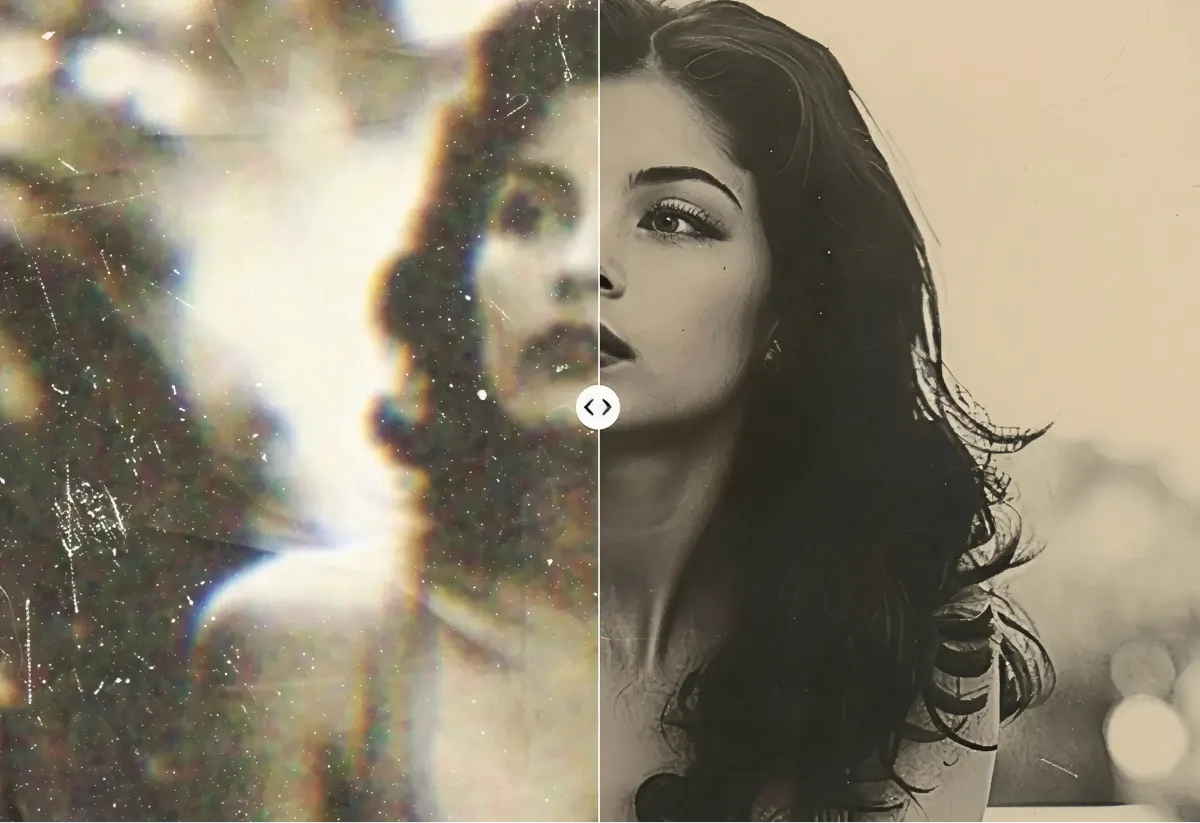
Below are typical before‑and‑after comparisons of photo upscaling, demonstrating the powerful capabilities of AI technology:
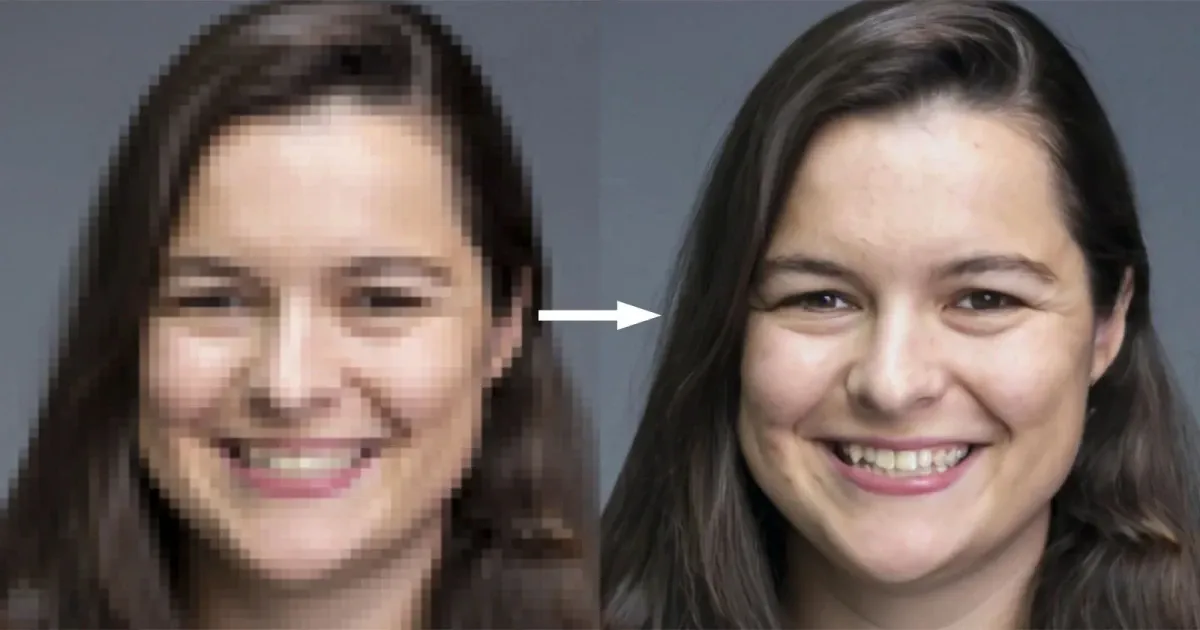

Principles of Photo Upscaling
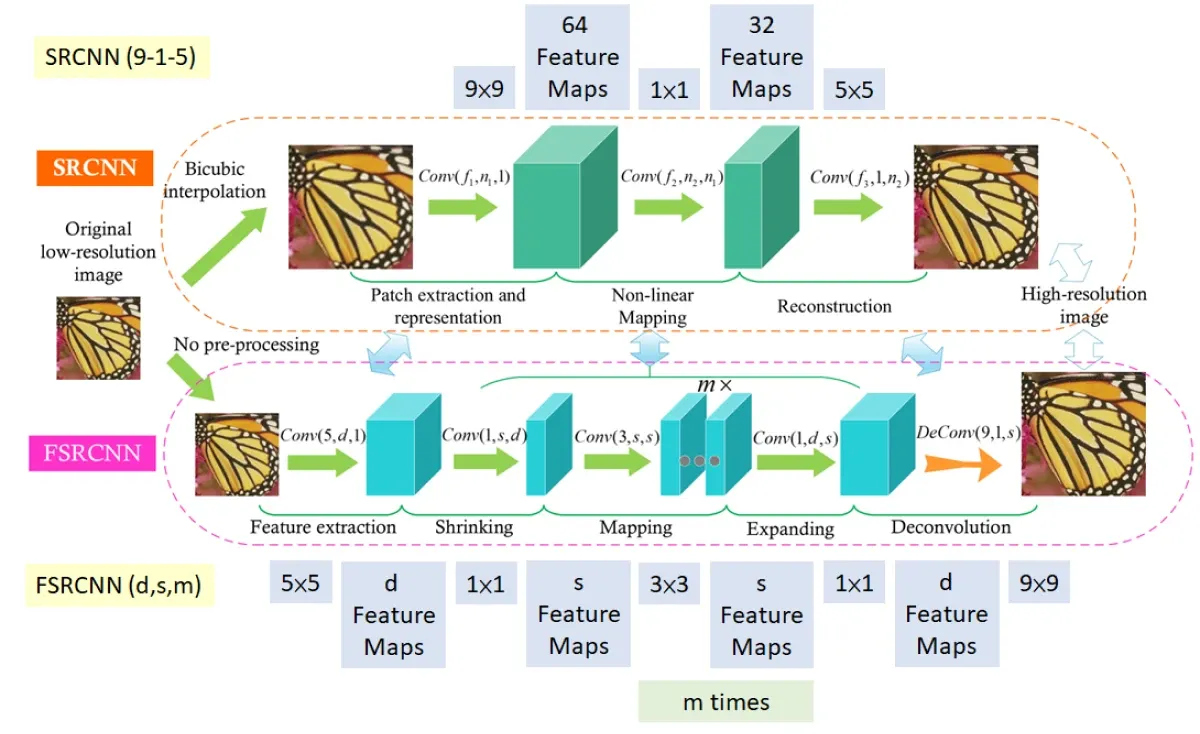
The core of photo upscaling is increasing the number of pixels while restoring details. Traditional methods such as bicubic interpolation calculate new pixels based only on neighbouring pixels, which often leads to jagged edges or blur after enlargement. AI‑based upscaling, on the other hand, relies on deep learning—especially super‑resolution neural networks such as SRCNN, ESRGAN, or SwinIR.
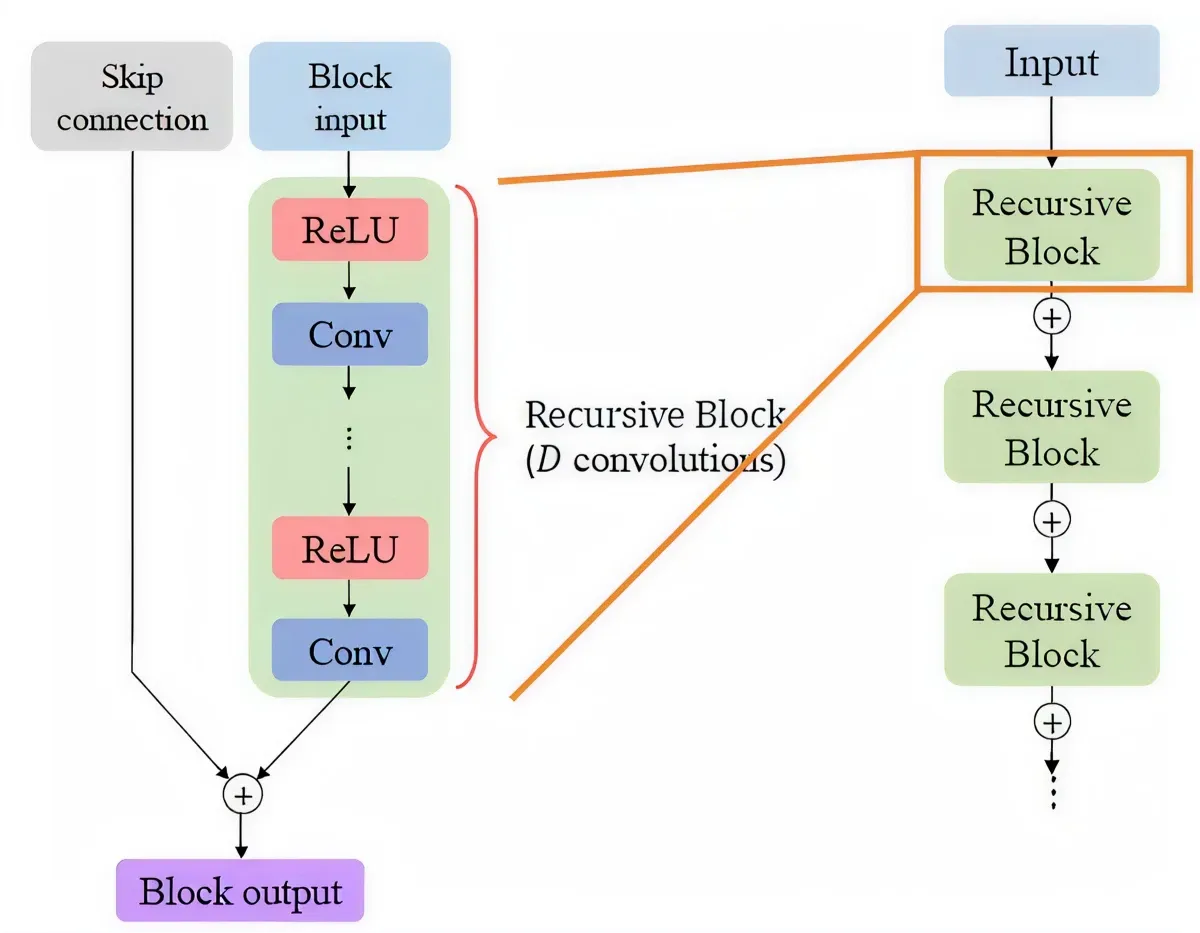
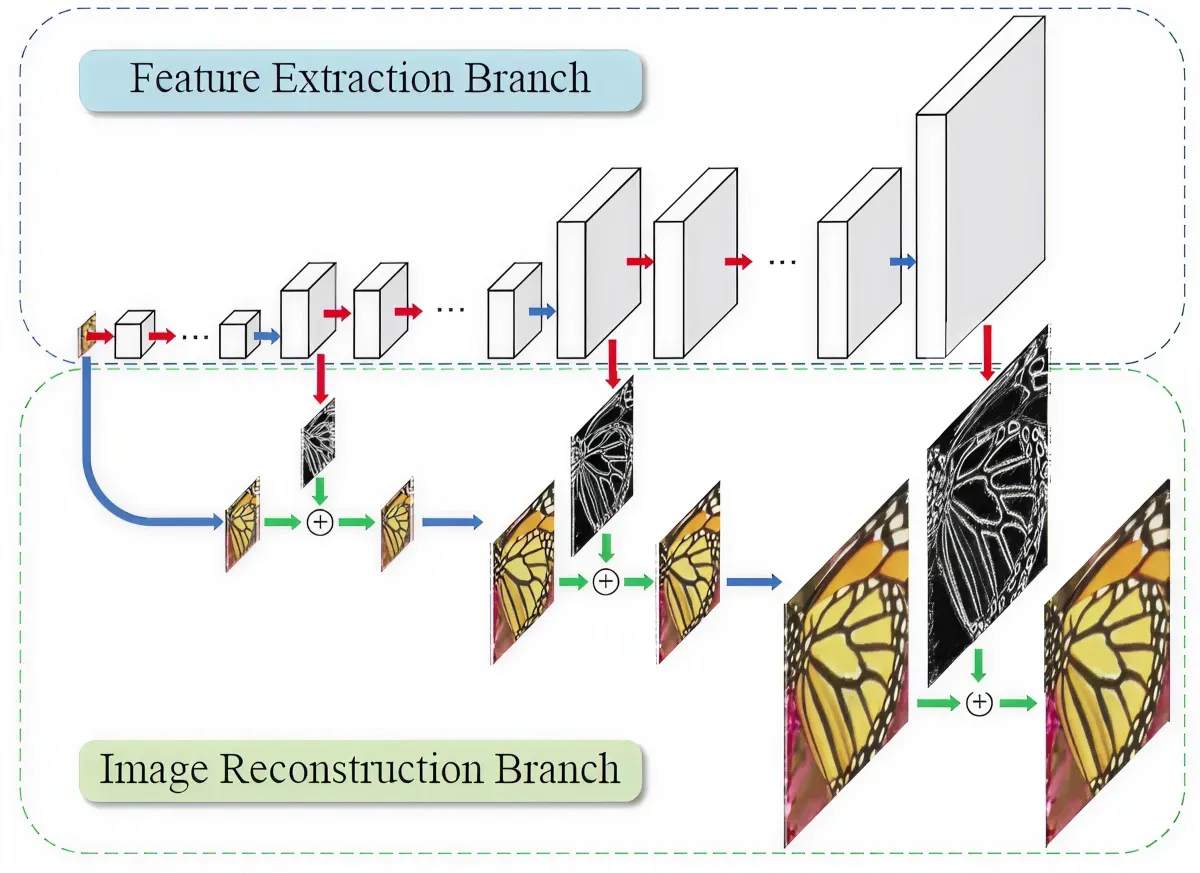
These models are trained on massive pairs of high‑ and low‑resolution images, learning how to “guess” realistic high‑resolution details from low‑resolution inputs. For example, when enlarging an image by 4×, AI not only fills in pixels but also generates textures, edges, and color transitions, making the result look natural. The process includes downsampling during training, residual learning, and generative adversarial networks (GANs), the latter helping images appear more realistic and avoiding excessive smoothing.
Below are schematic diagrams explaining the AI super‑resolution process:
By 2025, AI models are capable of handling face restoration, old photo repair, and even dynamic video frames, with results far surpassing traditional software.
Limitations of Traditional Upscaling Methods
Early upscaling relied on interpolation tools in software such as Photoshop or GIMP, including Nearest Neighbor (severe jagged edges), Bilinear (linear, blurry), or Bicubic (better, but still distorted). These methods are purely mathematical and cannot “create” new details. When enlarged by 2–4×, images often become pixelated or have blurred edges.
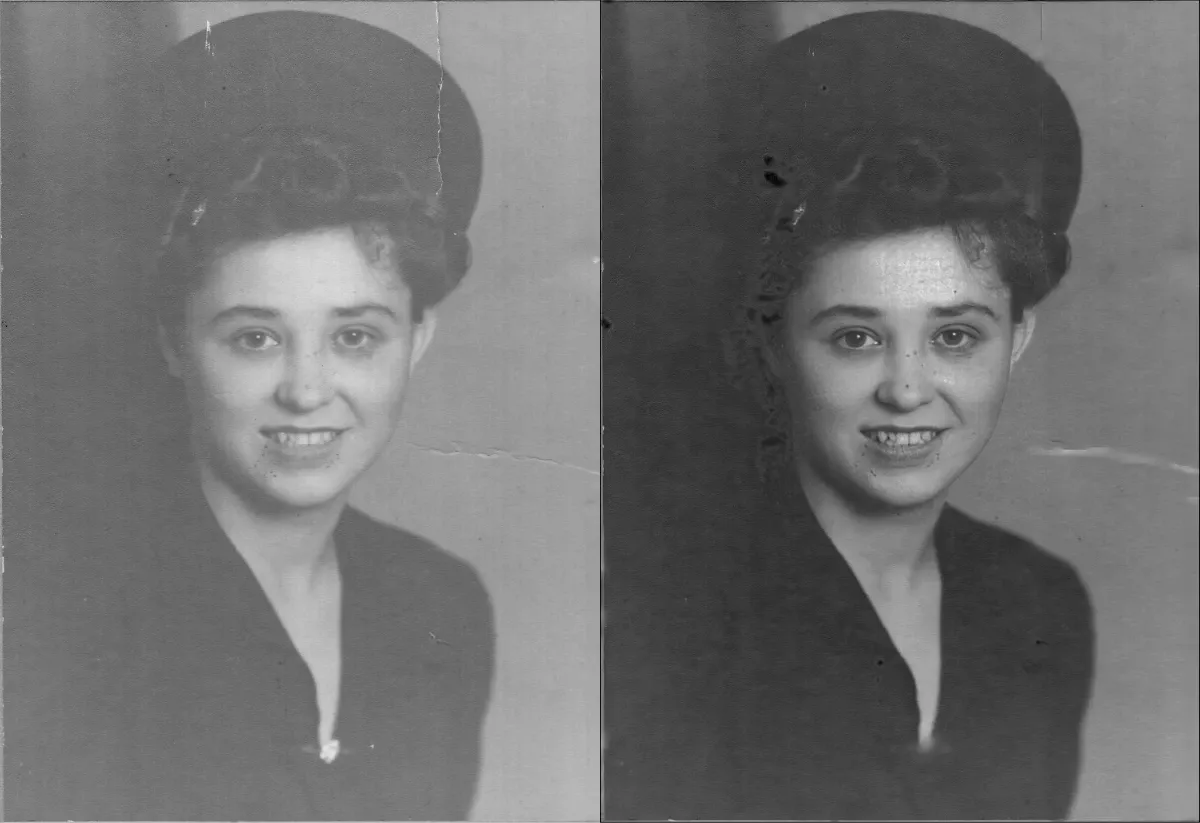
In contrast, AI can not only enlarge images but also reduce noise, sharpen details, and restore textures. For example, when restoring old photos, traditional methods may enlarge scratches, while AI intelligently fills in missing areas and restores skin texture.
Below are examples of old photo restoration using upscaling:
Recommended AI Photo Upscaling Tools
There are many excellent tools on the market today, ranging from free to professional‑grade:
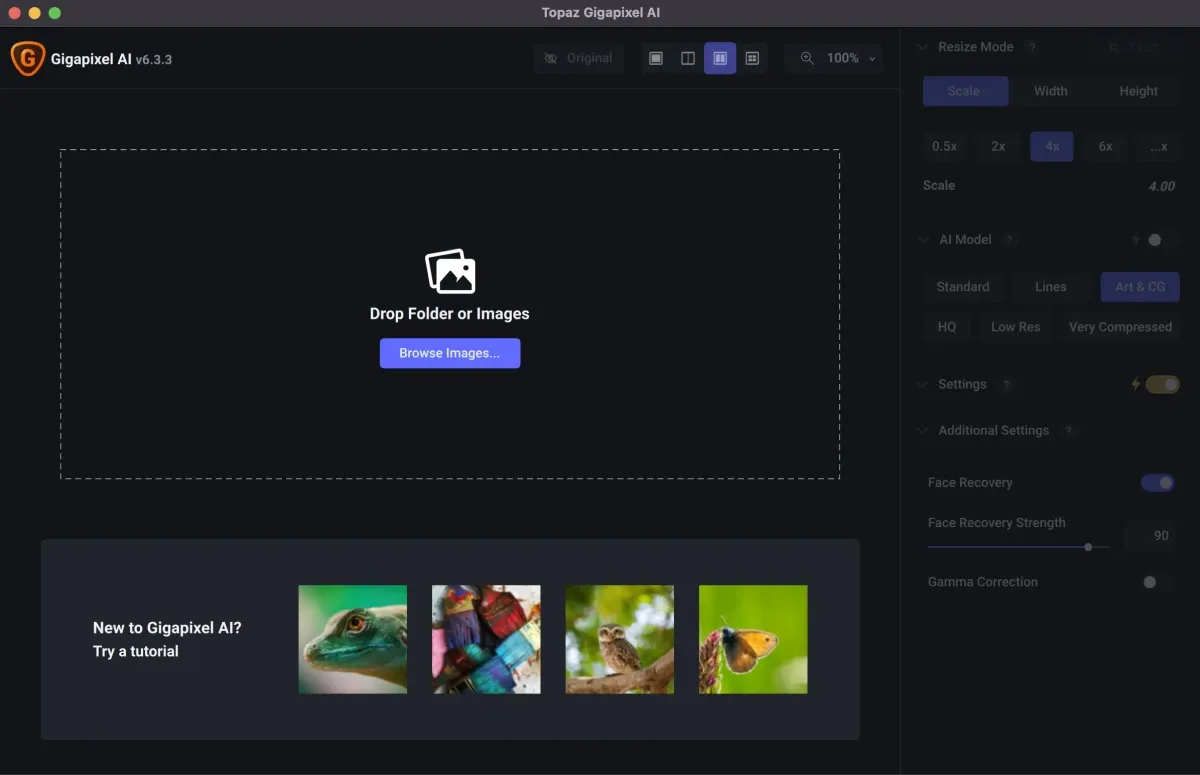
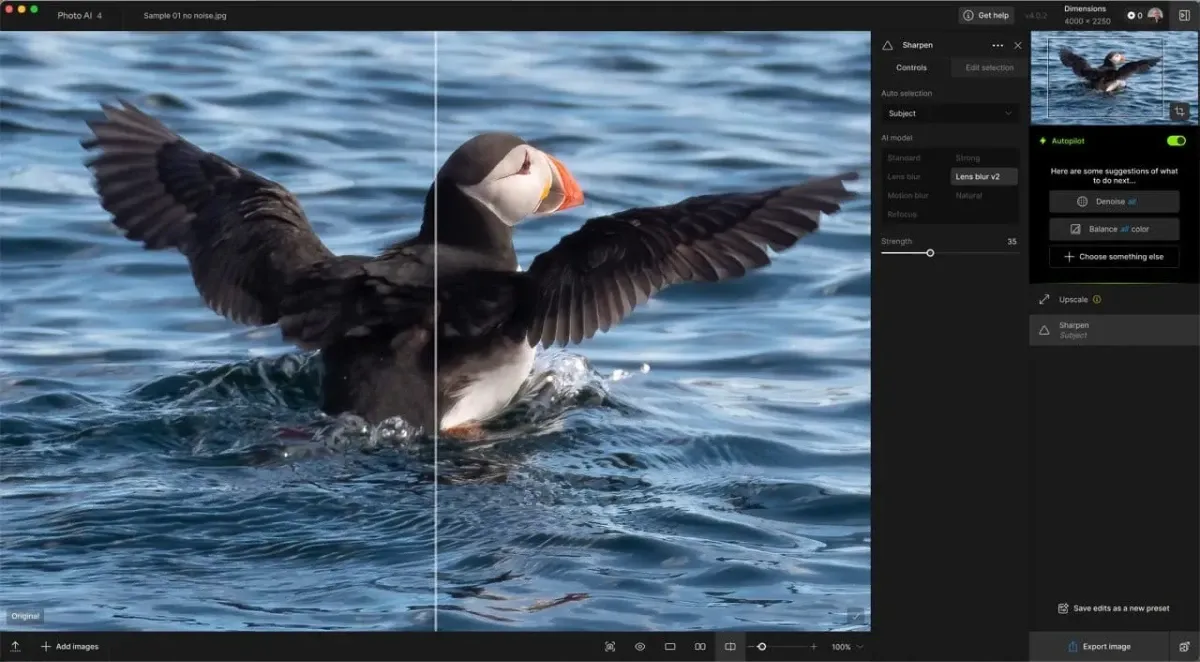
1. Topaz Gigapixel AI: Focused on enlargement, supports up to 8× scaling, and uses custom models for faces and landscapes. Simple interface with leading results, ideal for professional photographers.
Example interface and results:
2. Adobe Photoshop Super Resolution: Built into Camera Raw’s Enhance feature, using Adobe’s own AI to upscale images by 4× with one click, especially suitable for RAW files.
Example interface:
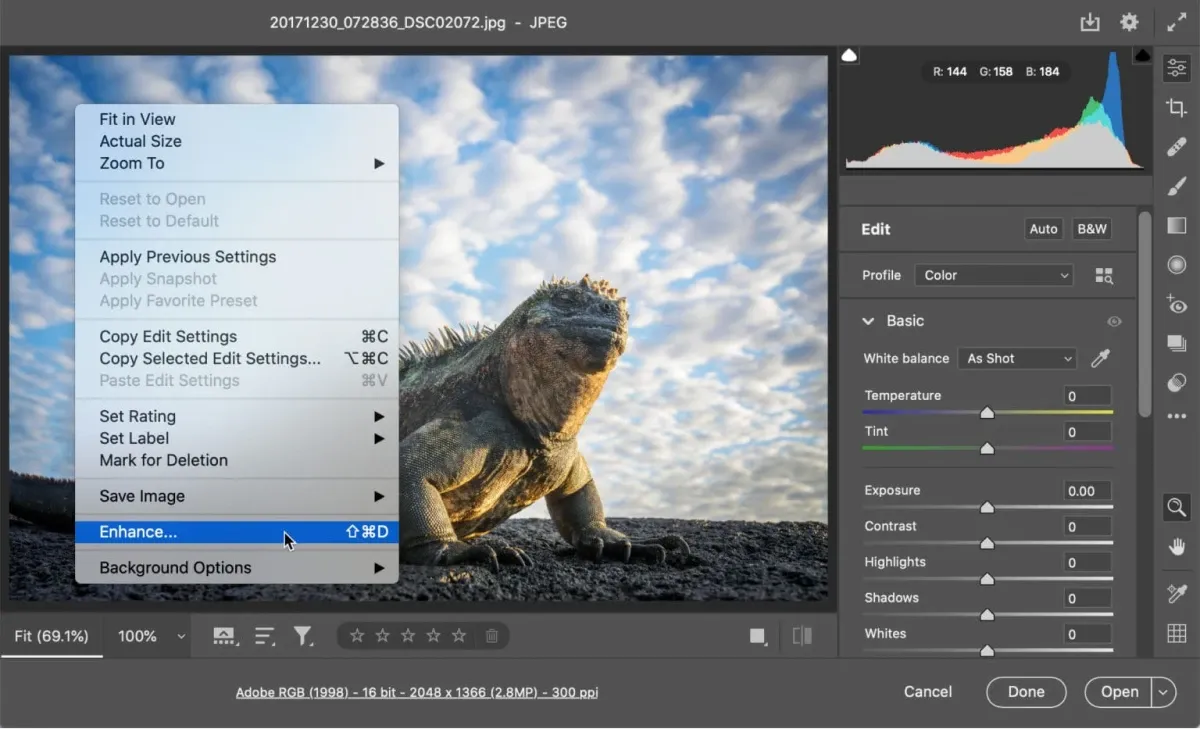
3. Free and open‑source tools: Such as Upscayl (free desktop app based on Real‑ESRGAN) or Waifu2x (particularly strong for anime‑style images), with results comparable to paid tools.
4. Mobile apps and online tools: Remini, Pixelup (mobile AI upscaling), Photoroom, or BigJPG (online and free), convenient for quick processing.
Practical Applications of Photo Upscaling
Photo upscaling is widely used in:
- Old photo restoration: Enlarging and printing grandparents’ black‑and‑white photos while restoring facial details.
- Printing and design: Enlarging low‑resolution web images for posters or books.
- Professional photography: Upscaling cropped images while preserving quality.
- Video production: Enhancing old films to HD or even 4K.
- Medical and surveillance fields: Improving image clarity to assist diagnosis or identification.
However, it should be noted that although AI is powerful, it can still produce hallucinations, such as adding incorrect details—especially in abstract images.
How to Effectively Upscale Photos
Recommended steps:
- Choose the right tool: Use face‑specific models for portraits and general models for landscapes.
- Pre‑processing: Apply noise reduction and color correction first to prevent AI from enlarging noise.
- Parameter adjustment: Avoid excessive scaling (recommended 2–4×) and maintain the original aspect ratio.
- Post‑processing: After upscaling, fine‑tune sharpening and contrast in Lightroom or Photoshop.
- Batch processing: Professional tools support batch jobs to save time.
- Copyright awareness: When uploading images to online tools, check privacy and usage policies.
For example, using Topaz on an old photo: import → select the Face Recovery model → upscale 4× → export. The entire process takes only a few minutes, with impressive results.
In summary, photo upscaling has moved from science fiction to reality. AI allows everyone to easily obtain high‑definition images. In the future, as models continue to evolve, this technology will become more accurate and faster, ushering in a new era of image processing. Whether restoring memories or creating new works, it is well worth trying.
Preserve Your Precious Memories with Capture’s Photo Album Digitisation Service
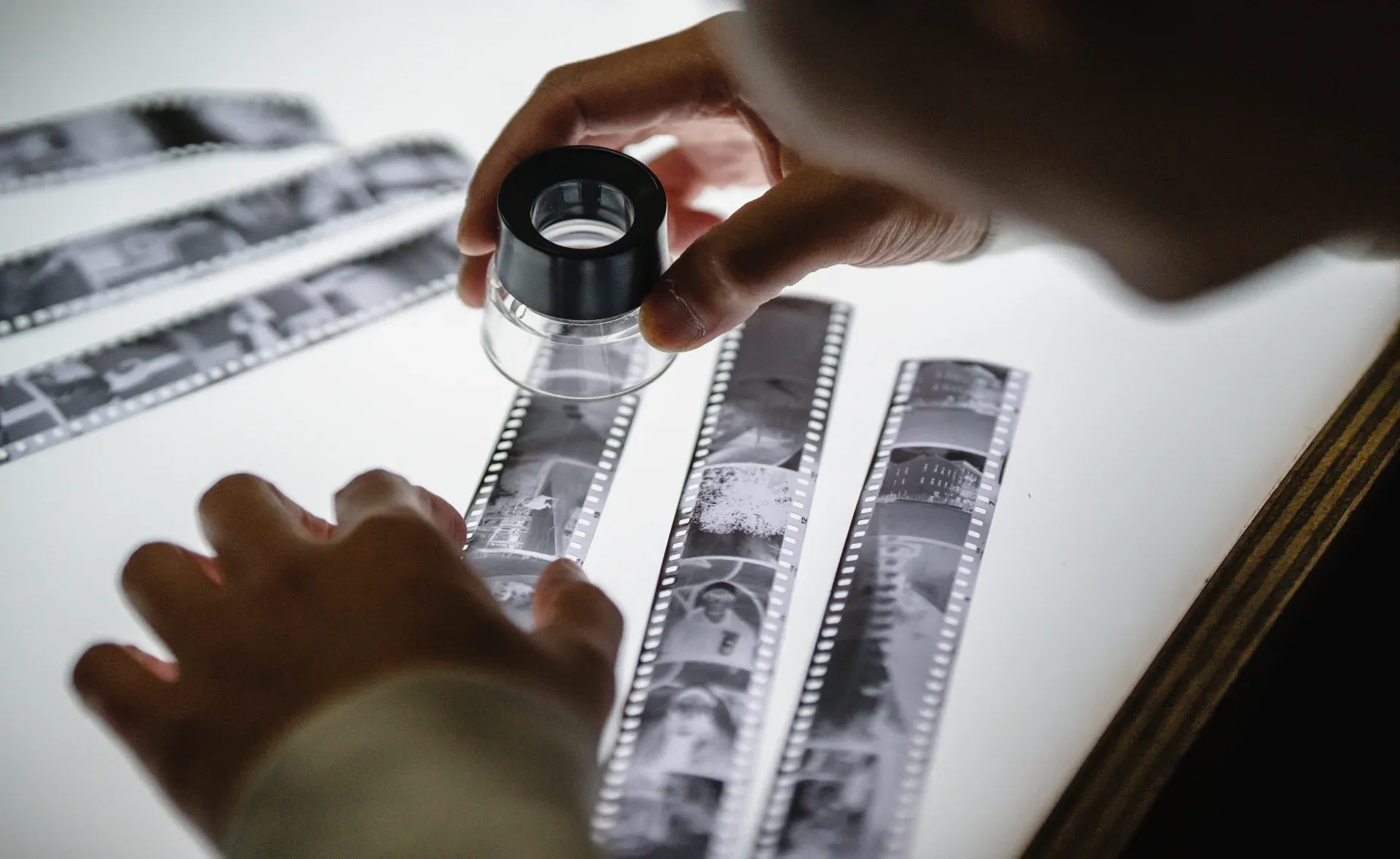
Do you have a box full of old photographs, worried that they may fade or get damaged over time? Now, you can preserve these treasured memories by digitising them with Capture.HK’s professional photo album digitisation service. Our service allows you to convert your old photos into high-quality digital files, ensuring they are safely stored and easily shareable.
At Capture.HK, we use high-resolution scanning technology to restore your photos with sharp details and vibrant colours, maintaining their original quality. We also offer various file formats, making it easy for you to access and share them across different devices. Most importantly, we handle your photos with utmost care, ensuring they are safely processed and preserved.
The Frame Digital Photo Frame
Want to relive your digital memories every day? Capture’s The Frame digital photo frame is the perfect solution! Designed to showcase your most cherished moments, The Frame allows you to display a lifetime of memories in one elegant frame.
With its sleek design and high-resolution display, The Frame offers an effortless way to organise and enjoy your favourite photos. Simply digitise your photo collection, upload them to The Frame, and enjoy your memories anytime, anywhere.
Whether placed in the living room, bedroom, or office, The Frame adds a touch of warmth and personality to your space. More than just a decorative item, it’s a meaningful gift that brings your treasured moments to life.
Get The Frame today and enjoy your memories every day!
References:
- Google’s New AI Photo Upscaling Tech is Jaw-Dropping - petapixel
- New Google AI Image Upscaling Makes Science-Fiction a Reality - cined
- Exploring AI-Powered Image Upscaling: Top Software Tools - shotkit
- 5 best AI image upscalers of 2025 (free and paid) - photoroom
- A Complete Guide to Image Super-Resolution in Deep Learning and AI - digitalocean
- Old Photo Restoration - Restore Old Photos With AI - airbrush
- 5 Best Tools to Upscale Your Images (Review) - hongkiat
- Topaz Gigapixel AI Review (Is It Any Better Than Photoshop?) - expertphotography
- Topaz Gigapixel AI vs Topaz Photo AI: The Best For Serious Photographers? - lenscraft
- Adobe Photoshop’s Super Resolution Feature is Here - rangefinderonline
Extended Readings:
- [Lomo LC‑A+] Price, Specifications, Reviews, and User Opinions (With Hong Kong Purchase Locations)
- [Ricoh GR1v] Price, Specifications, Reviews, and User Opinions (With Hong Kong Purchase Locations)
- [Lomography Lomo'Instant Wide] Price, Specifications, Reviews, and User Opinions (With Hong Kong Purchase Locations)
Capture Reviews
Related Articles
You may also like these articles




Capture · Our team
Any Questions?
Feel free to contact
our Memory Specialists
Not sure what format you have or how best to handle it? WhatsApp us and one of the team will take a look.
WhatsApp us