Free Online Image Quality Restoration Website YouCam Online Image Editor: User Guide, Pricing, and Reviews


In an era where everyone is a photographer, photos taken with smartphones or old cameras often lose their appeal due to low resolution, blur, or aging. Fortunately, advances in AI technology have made image quality restoration simple and accessible—no professional software or expensive equipment required. YouCam Online Image Editor is a free, web‑based AI photo editing tool launched by the well‑known beauty and imaging technology company Perfect Corp. It runs directly in your browser with no app download required. Focused on image enhancement, it can turn blurry, low‑resolution, or old photos into clear, high‑definition images with a single click, while also offering features such as background removal, object removal, and photo colourisation. As a free tool, it is ideal for restoring old family photos, social media images, or everyday snapshots, allowing anyone to easily bring back details and colours from cherished memories. This article introduces what the platform is, how to use it, its pricing structure, and real user feedback to help you get started quickly and enjoy the magic of AI‑powered imaging.
What Is “YouCam Online Image Editor”?
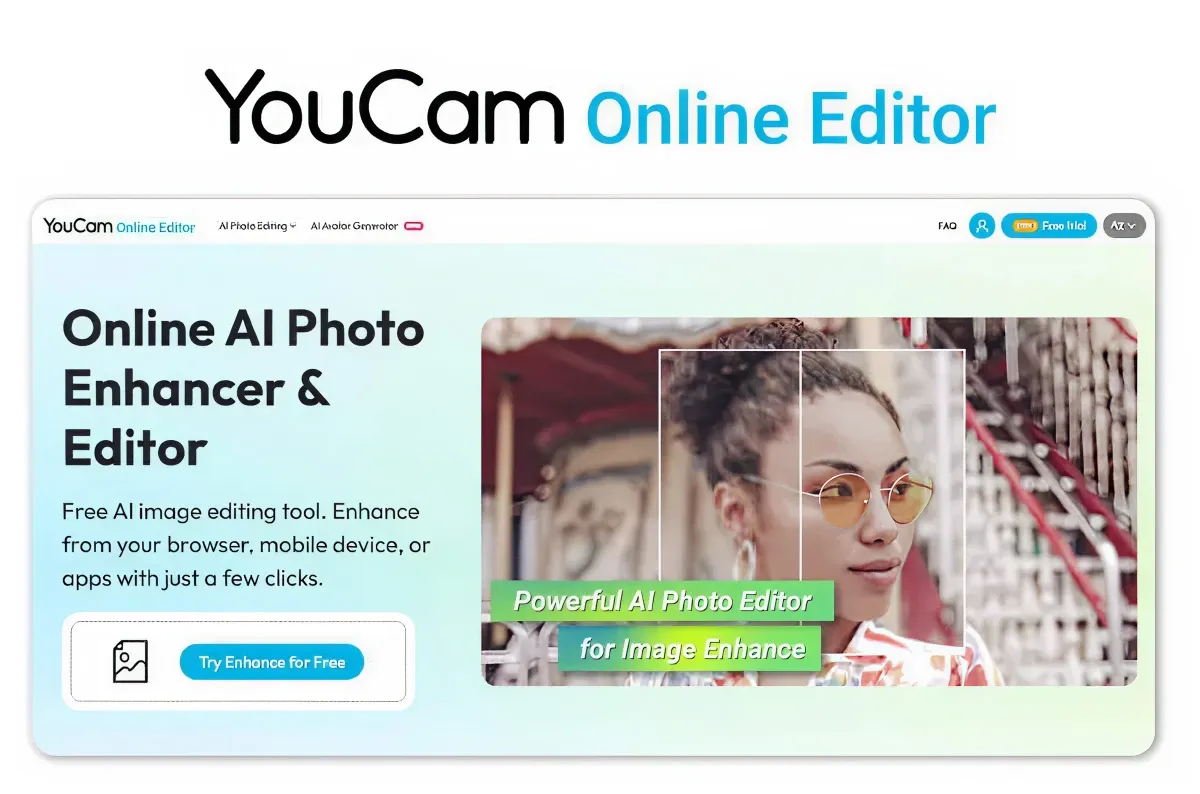
YouCam Online Image Editor (official website: https://yce.perfectcorp.com/) is a cloud‑based AI imaging tool developed by Perfect Corp., designed specifically for online photo editing. It integrates multiple AI features, with a strong focus on image quality restoration and enhancement. No software installation is required—you can use it directly in browsers such as Chrome or Safari.
Core features include:
- AI image enhancement: Automatically removes blur and noise, and upscales images to up to 4K resolution, turning low‑quality photos into high‑definition images.
- Old photo restoration: Repairs yellowing, scratches, and faded colours in old photos, restoring detail and colour.
- Other AI tools: Background removal, object removal, black‑and‑white photo colourisation, facial enhancement, image generation, and more.
This tool continues the YouCam series by Perfect Corp. (such as YouCam Perfect and YouCam Enhance) but focuses on a browser‑based experience. Its intuitive interface makes it beginner‑friendly. Compared to mobile apps, it is more convenient for cross‑device use and emphasises natural‑looking results without excessive artificial effects. Whether restoring family photos or optimising product images, tasks can be completed quickly, making it one of the most popular free AI image platforms in 2025.
How to Use “YouCam Online Image Editor”
Using YouCam Online Image Editor is extremely simple and requires no registration. Below are the steps:
- Visit the website: Open your browser and go to https://yce.perfectcorp.com/, or search for “YouCam Online Editor.”
- Choose a tool: The homepage displays multiple features such as “Photo Enhance,” “Unblur Image,” or “Restore Old Photo.” Click the tool you want to use.
- Upload a photo: Click the “Upload” button and select an image from your computer or mobile device. Common formats such as JPG and PNG are supported.
- AI processing: After uploading, the AI automatically analyzes and processes the image, usually within a few seconds to tens of seconds. A before‑and‑after preview is shown.
- Download the result: Once satisfied, click “Download.” The free version may include a watermark or resolution limits, while the Pro version does not.
Advanced tips:
- For extremely blurry images, try the dedicated “Unblur” tool.
- Combine multiple tools, such as enhancing quality first and then removing the background.
- If results are not ideal, adjust the intensity (available in some tools) or retry.
The entire process is completed in the browser with no account required, making it perfect for quick edits.
How Much Does “YouCam Online Image Editor” Cost? Is There a Free Version?
Yes, YouCam Online Image Editor offers a fully free version. You can use basic AI tools such as image enhancement, deblurring, and old photo restoration at no cost. Usage is unlimited, but the free version has credit limits (daily or per‑use), and downloads may include watermarks or lower output resolution.
The advanced Pro version (Plus subscription) unlocks unlimited credits, watermark‑free downloads, high‑resolution output, and additional AI features:
- Monthly subscription: Around USD9.99 (approximately NT$300, depending on region), typically including 100 credits per month.
- Annual subscription: More cost‑effective and often discounted.
New users often receive free credits or a trial period (e.g. 5–10 credits to start). Subscriptions are purchased directly on the website, support credit card payment, and can be canceled at any time. The free version is sufficient for everyday restoration or simple enhancements, while heavy or commercial use may benefit from upgrading to Pro. Overall, it is a genuinely free entry‑level online AI tool with excellent value.
Real User Reviews of “YouCam Online Image Editor” (Selected)
“YouCam Online Image Editor” has received positive feedback on forums, Reddit, and review sites, especially for its free AI restoration capabilities. Below are selected real user comments (from Reddit, Google reviews, and blogs, anonymised):
- “I’ve used it a few times and the results are very good, especially for fixing blurry or low‑resolution images—far beyond expectations. The free version is enough, perfect for those who don’t want to download an app.” (Reddit user, 2025)
- “Old photo restoration is amazing. Black‑and‑white photos are colourised naturally, and the details come back. Simple interface, done in seconds—highly recommended for restoring family photos!” (Blog review, 5 stars)
- “Free credits are enough for daily use. Photos look much clearer after restoration and don’t feel artificial like some tools. The downside is you need to pay for heavy use, but overall it’s worth it.” (User feedback, 4 stars)
Negative feedback:
- “Downloads in the free version have watermarks, and you need to wait or upgrade when credits run out. Processing can sometimes be slow.” (3 stars)
- “AI results are good, but occasionally over‑sharpened. More convenient than the mobile version since there’s no installation.” (4 stars)
Most users consider it one of the best free online AI image enhancement tools, praising its natural results and ease of use. Some users compared it with Remini or Topaz and found the YouCam online version more convenient across platforms.
In summary, with its free access, powerful AI, and no‑installation advantage, YouCam Online Image Editor has become a popular choice for photo restoration. Whether revisiting old memories or enhancing new images, it delivers impressive results. Open your browser and try it now—bring your photos back to life.
Preserve Your Precious Memories with Capture’s Photo Album Digitisation Service
Do you have a box full of old photographs, worried that they may fade or get damaged over time? Now, you can preserve these treasured memories by digitising them with Capture.HK’s professional photo album digitisation service. Our service allows you to convert your old photos into high-quality digital files, ensuring they are safely stored and easily shareable.
At Capture.HK, we use high-resolution scanning technology to restore your photos with sharp details and vibrant colours, maintaining their original quality. We also offer various file formats, making it easy for you to access and share them across different devices. Most importantly, we handle your photos with utmost care, ensuring they are safely processed and preserved.
The Frame Digital Photo Frame
Want to relive your digital memories every day? Capture’s The Frame digital photo frame is the perfect solution! Designed to showcase your most cherished moments, The Frame allows you to display a lifetime of memories in one elegant frame.
With its sleek design and high-resolution display, The Frame offers an effortless way to organise and enjoy your favourite photos. Simply digitise your photo collection, upload them to The Frame, and enjoy your memories anytime, anywhere.
Whether placed in the living room, bedroom, or office, The Frame adds a touch of warmth and personality to your space. More than just a decorative item, it’s a meaningful gift that brings your treasured moments to life.
Get The Frame today and enjoy your memories every day!
References:
- YouCam Enhance - yce
- YouCam Enhance: Best Free AI Photo Editor & 4K Photo Enhancer - perfectcorp
- YouCam Enhance: Photo Enhancer - apps.apple
- YouCam Enhance: Photo Enhancer - play.google
- YouCam Perfect Review: Amazing AI Photo Editing in 2025? - fahimai
- YouCam Enhance Review 2025: The Ultimate AI Photo Editor? A Deep Dive - skywork.ai
- Anybody familiar with "YouCam Online Photo Enhancer"? - reddit
Extended Readings:
Capture Reviews
Related Articles
You may also like these articles









Capture · Our team
Any Questions?
Feel free to contact
our Memory Specialists
Not sure what format you have or how best to handle it? WhatsApp us and one of the team will take a look.
WhatsApp us Free quote